Free until 1 February 2027
An MTG binder organizer that lays out the pages for you
Give a binder the format of the one on your shelf and link it to a goal. The app works out which pocket each card goes in. Ask where a card is and you get the binder, the page and the row.
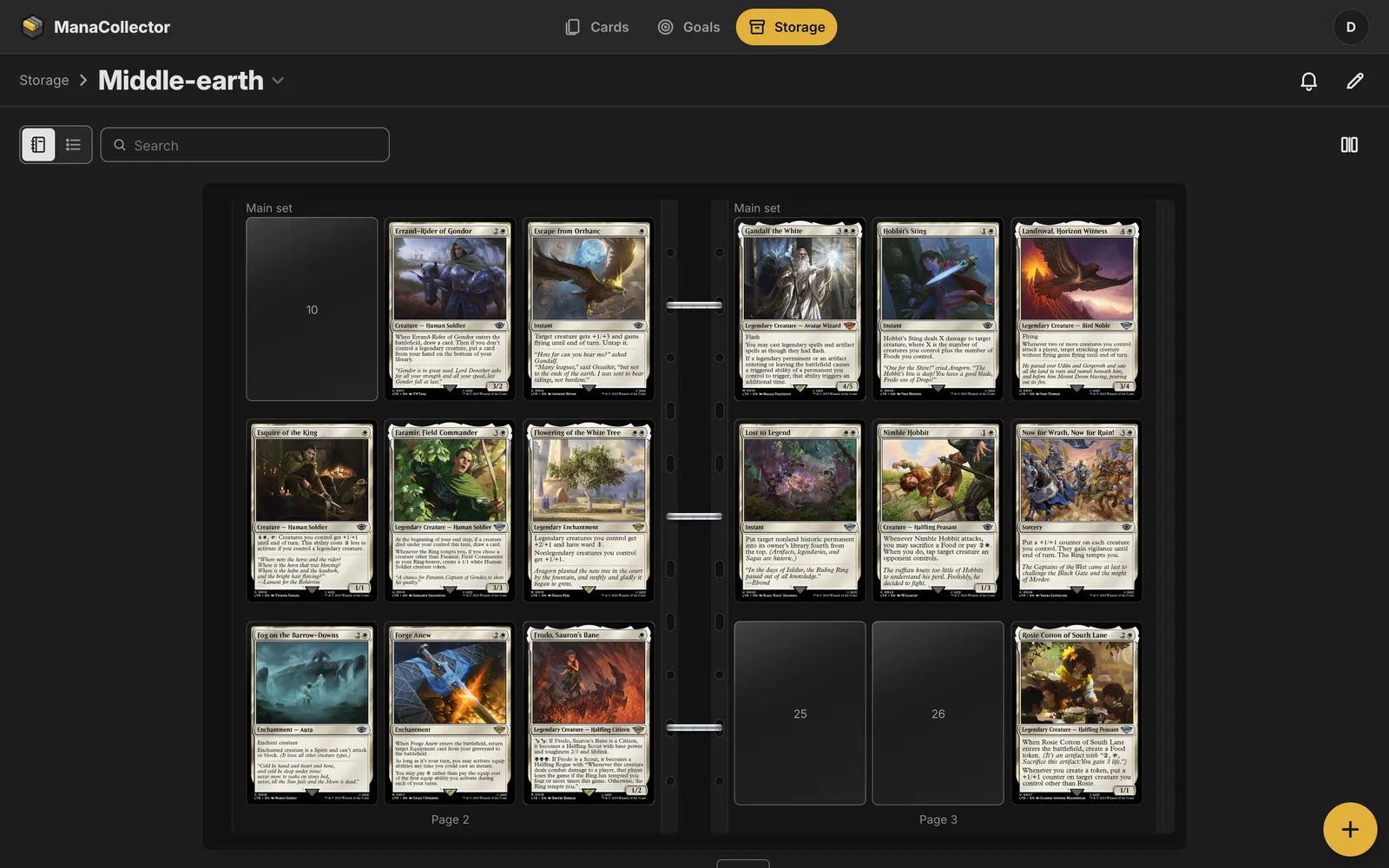
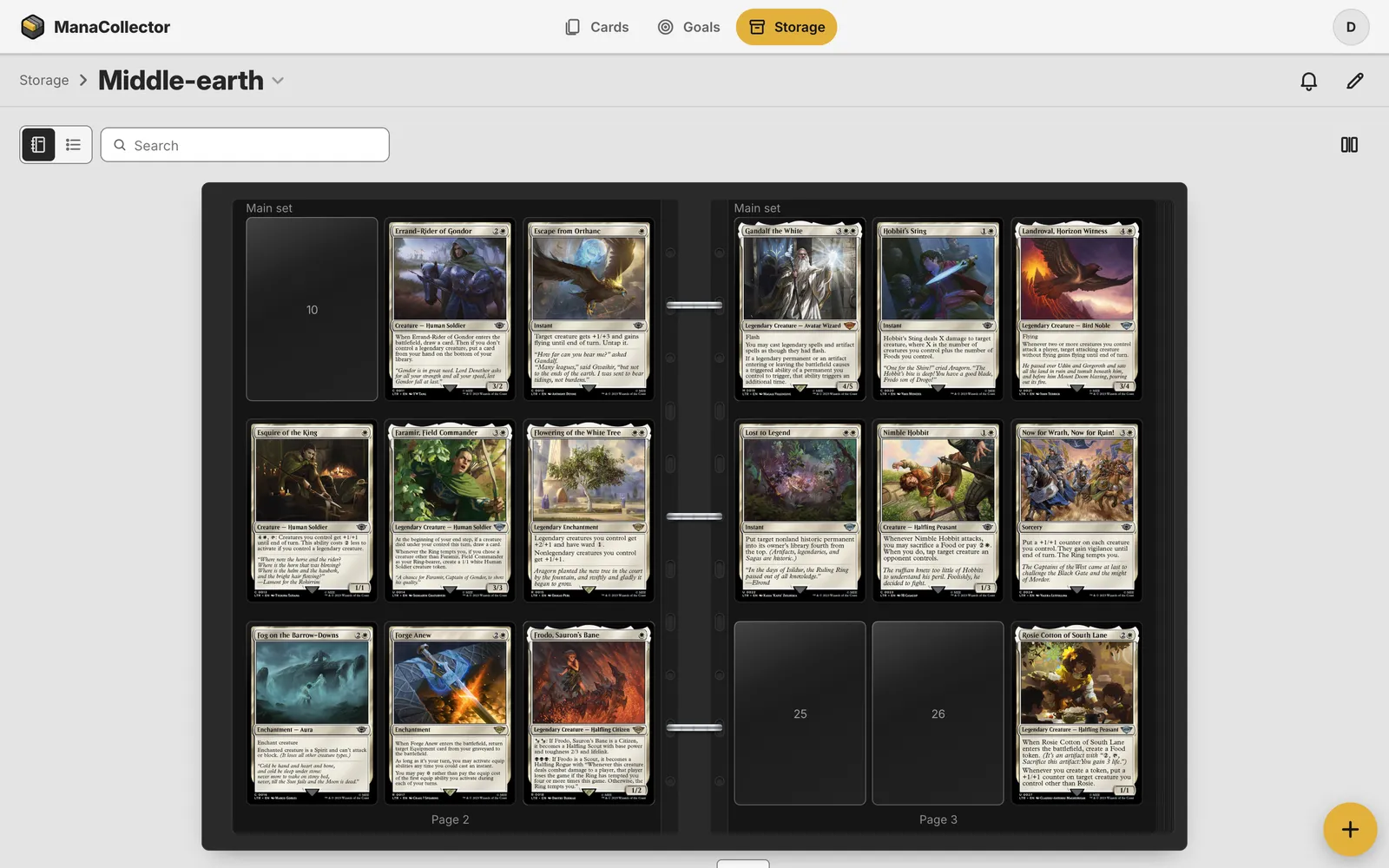
Binders with pages and pockets
Give a binder its format, such as 3×4 with 100 pages, and it looks like the real one: black pocket pages, chrome rings, and spreads that turn as in a real binder. Every card in it has its page and its pocket.
Laid out from a goal
Link a binder to a goal, or to one part of it such as the main set. The app works out the pocket for every card and copy, in number order, with as many copies as the goal asks for. A whole goal becomes its parts one after the other. You choose a row per card or let the copies follow each other, and a card the price cap gives fewer copies keeps its pockets, striped. You can’t move a pocket by hand: change the rule and the pages follow.
Where each card lies, and where it belongs
- Ask where a card is, and the answer is the binder, the page and the row: “Page 12, row 2”.
- A pocket whose card you own but keep elsewhere says where it lies, such as in a box.
- An empty pocket shows the missing card’s number, and its picture and price when you point at it.
- Search the binder for a card, and it turns to the page and marks the pocket.
- New cards go to the binder that has pockets for most of them, else to where you last put cards of the same set and rarity, else to Unsorted, the inbox. You can always choose another place.
- A binder lists the cards that belong in it but lie elsewhere, each with Move here.
Boxes with sections
A box is sections in the order you set, each started by a divider: a goal’s cards, cards you put there by hand, or everything else. It sorts by up to three keys, such as set and number, and a card’s place reads like “Box: Bulk · LTR foil · about card 34 of 87”.
Deck boxes that borrow
A deck lives in a deck box. By default it borrows copies from your collection, and the binder pocket a borrowed card left says which deck has it. One action sends the borrowed copies back where they came from. Or set the deck to buy its own.
Questions
Is it a digital folder or my real binder?
Your real binder. You give it the format and the pages of the one on your shelf, and the app keeps track of which card belongs in which pocket.
Do I have to place every card myself?
No. Link the binder to a goal and the app lays out the pages in number order. Manual pages are there too, for the cards you want to place yourself.
What happens when a binder is full?
It takes what fits, and the rest goes to Unsorted, so no card is ever refused.
Sign up
Anyone can sign up, and everything is free until 1 February 2027. Give your email address and we’ll send you a link to create your account. Then import your collection and try it on your own cards.
More of what it does
Collection tracker
Every copy you own, with search as you type, prices every night and where each card lies.
Move from another app
Bring your cards from the app you use now as a CSV file, and take them out any time.
Scanning and import
Scan cards with the phone’s camera, paste a list, or import a CSV.
Prices and value
Market prices every night, each card’s price history, and what the collection is worth.
Trading with friends
Mark cards for trade, add friends, and see what they have that you need.
Desktop data grid
Search, sort, filter and change many cards at once, in a data grid on your computer.
Set completion
Collect a set, a deck or your own list, and see what’s missing and what it costs.
ManaBox alternative
Moving from ManaBox? Import your collection and try it here.